Before you start
With these ready, buying takes a couple of minutes. For a big concert or match, sort them out before sales open.
- Enough bKash balance for every ticket you want.
- Your phone nearby, because bKash sends a verification code by SMS.
- An email address you actually check. That's where your ticket goes.
- The event's real quicket.me link, ideally from the organizer's own page or the Quicket app.
200K+
orders placed on Quicket so far
Step one: pick your ticket
The flow is the same on the website and in the Quicket app on iOS or Android.
- 1
Open the event
Go to quicket.me/events, or tap the link the organizer shared. Check the date, venue and time.
- 2
Choose your ticket
Pick the ticket type and quantity. On a seated event, tap your seats on the map: they're held for you while you pay, and no seat can be sold to two people.
- 3
Add extras if you want them
Some events offer parking, merch or food packages. Add them now and they go on the same order.
Step two: check out and pay with bKash
You don't need an account. Checkout asks only for your details.
- 1
Enter your details
Type your name, phone number and email carefully. A typo in the email is the most common reason people can't find their ticket later.
- 2
Choose bKash and pay
Choose bKash, then on the bKash page enter your account number, the verification code sent to your phone, and your PIN. Keep the page open until it returns you to Quicket.
- 3
Check your confirmation
You'll see a confirmation on screen and your ticket by email. If you bought in the app, it's there too.
Buying concert tickets with bKash
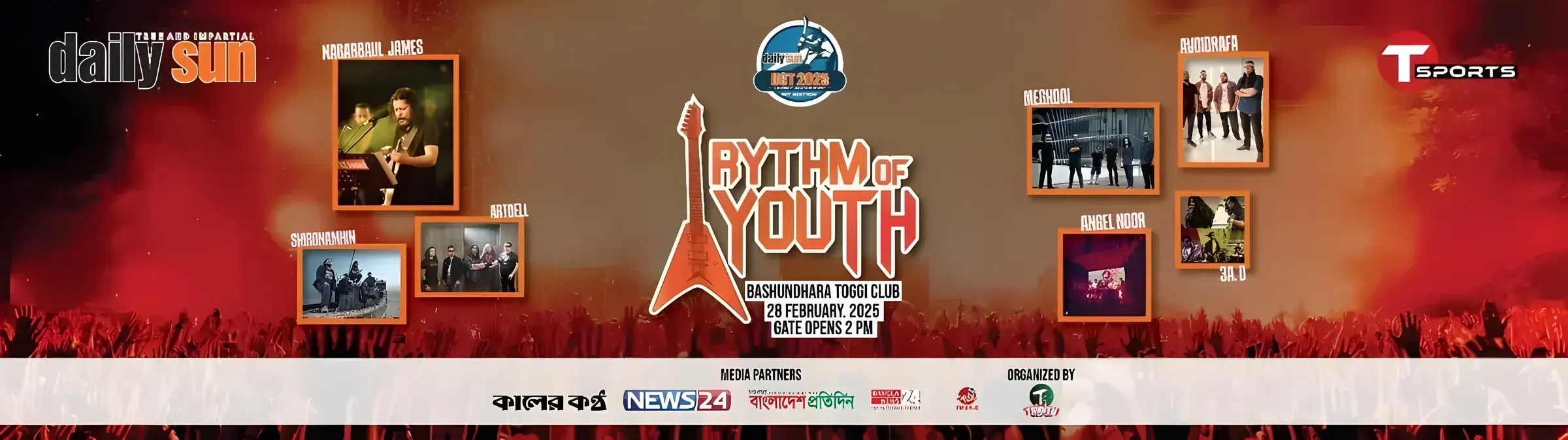
Concerts and live shows are where bKash checkout matters most, because good tiers go fast. Open the show on quicket.me or in the Quicket app, pick your tier or seat, and pay with bKash in the same flow described above.
For a big on-sale, top up before sales open and keep your phone next to you for the verification code. Your QR ticket arrives by email, ready for the gate.
Other ways to pay
No bKash? Pay with Pathao Pay, or a card or mobile and internet banking through SSLCommerz. Only the payment page changes.
You can also book by chatting: tell Just Ask what you want, like two tickets for Friday's show, and it walks you through the booking.
What you receive
Your ticket is a QR code, scanned at the gate. Don't post it on Facebook or in a group chat: anyone with a copy could use it before you arrive.
Add it to Google Wallet to skip digging through email, and have it open with brightness up before you reach the front.
Finding your ticket later with an OTP
Deleted the email or changed phones? You don't need to contact anyone.
- 1
Open the ticket lookup
Use the find-your-ticket option on quicket.me or in the Quicket app.
- 2
Enter the details you used at checkout
Use the same contact details you gave when you bought.
- 3
Confirm with the one-time code
Type in the OTP you receive. Your ticket opens, ready to show at the gate or add to Google Wallet.
If the payment went through but you have no ticket
It's rare, but mobile data drops and pages get closed halfway. Work through these in order.
- 1
Don't pay a second time
Buying again usually leaves you with two charges to sort out. Check first.
- 2
Search your email, including spam and promotions
Search for Quicket or the event name.
- 3
Try the OTP lookup
If the order completed, the lookup finds your ticket even if the email never arrived.
- 4
Keep your bKash transaction ID
Note the transaction ID, amount and time from the bKash app.
- 5
Contact Quicket support
Email support@quicket.me or call +88 017 9280 8664 with the event name, your phone number and the bKash transaction ID. That's everything needed to trace the payment.
Questions people ask
Should I send money to the organizer's bKash number for a Quicket ticket?
No. For a Quicket event you pay inside Quicket's checkout, and the ticket is issued the moment payment completes. If anyone asks you to Send Money to a personal number for a ticket listed on Quicket, don't; buy on the event page at quicket.me or in the Quicket app.
Do I need the Quicket app or an account to buy a ticket?
No. You can buy on quicket.me in any phone browser as a guest. The app keeps your tickets in one place, but your ticket also arrives by email and can go into Google Wallet.
Can I pay with bKash without the bKash app?
Yes. At checkout you choose bKash and a bKash payment page opens in your browser. Enter your bKash number, the verification code sent to your phone by SMS, and your PIN. The app isn't needed.
How to pay using bKash for event tickets?
Open the event on quicket.me or in the Quicket app, choose your ticket, and enter your name, phone and email. Choose bKash at checkout, then enter your bKash number, the verification code and your PIN on the bKash page. Your QR ticket arrives by email as soon as the payment completes.
Can I buy tickets for my friends in one order?
Yes, choose the quantity at checkout. If a friend arrives separately, transfer their ticket so they carry their own.
I typed the wrong email. What do I do?
Try the OTP lookup with your phone number first. If that doesn't work, email support@quicket.me with the event name and your bKash transaction ID.
Can I get a refund if I can't go?
Refunds follow the organizer's policy for that event, and organizers process them. Check the event page, then contact the organizer. Transferring the ticket to someone who can go is often quicker.
বিকাশে টিকেট কেনার নিয়ম কী?
quicket.me তে ইভেন্ট খুলে টিকেট বা সিট বেছে নাও, তোমার তথ্য দাও, চেকআউটে bKash বেছে নিয়ে bKash নম্বর, ভেরিফিকেশন কোড আর PIN দিয়ে পেমেন্ট করো। টিকেট (অনেকে লেখে টিকিট) ইমেইলে চলে আসবে।